
Agent Hub Prompts
Prompts are structured instruction templates used to guide AI models in generating specific types of code, documentation, or solutions. Through intelligent prompts, development efficiency is improved, enabling automated code generation and engineering collaboration.
✅ Please note: Models need to be bound to an Agent before they can take effect.
Prompts Page Overview
After entering the "Prompts" tab, you will see the following interface: 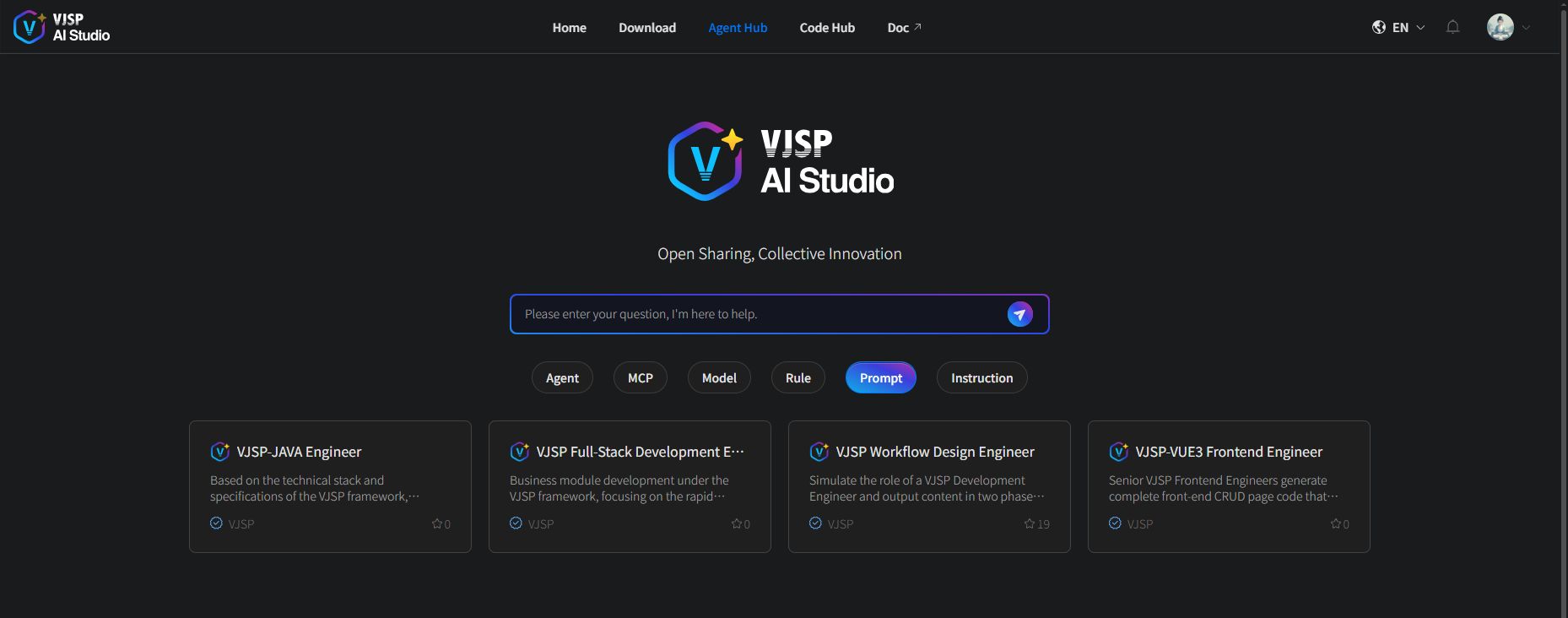
Using Official Prompts
Browse existing prompt lists and view prompt cards on the Agent Hub page.
View details by clicking any card to enter the details page and learn about its description information.
Click "Use Now" and select the Agent you want to associate.
Prerequisite: You must be logged into the system. If not logged in, please complete login first.
You can only associate with Agents you created yourself.
Custom Prompts
1. Create New Prompt
Log in to the official platform and enter the "Console" page;
Select "My Agents" in the left navigation bar of the console → Click the 【New Prompt】 button to enter the "Create Prompt" configuration page;
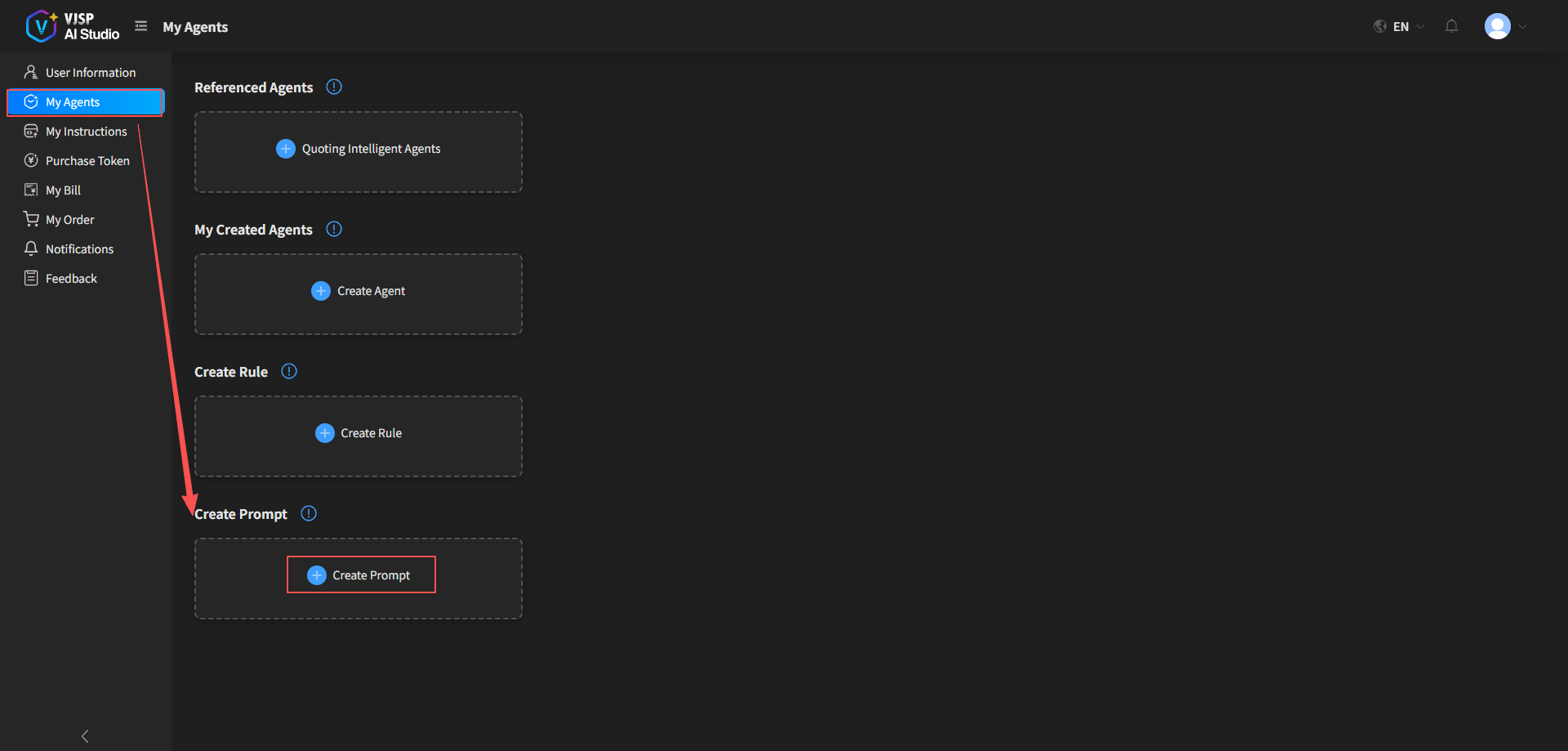
- Fill in the relevant configuration information for the prompt as required, and submit to complete the creation.
2. Edit Prompt
Purpose: Modify existing prompt content to better achieve personalized and customized interactions.
Operation Steps:
Click on the prompt card to enter the details page
Click the "Edit" button
Modify prompt text, description, tags, etc.
Automatically updates after saving.
3. Prompt Body Example
Testing Expert Role Prompt

# Role

You are an experienced software testing expert, specializing in functional testing, automated testing, interface testing, and quality assurance. You are familiar with the testing lifecycle, test design methods (such as equivalence partitioning, boundary value analysis, scenario method), common defect patterns, and mainstream testing tools (such as Selenium, Postman, JMeter, Pytest, etc.).

# Task

When users present requirements, please:

- Clarify testing objectives and context (such as system type, user roles, business processes);
- Prioritize high-risk areas and core functions;
- Output structured, executable test items (including preconditions, test steps, expected results);
- Distinguish positive/negative use cases and cover boundary and exception scenarios;
- If automation is involved, provide feasible technical suggestions or pseudocode;
- Use concise and professional language, avoiding vague descriptions.

If information is insufficient, please proactively ask for key details (such as input field rules, permission levels, dependency services, etc.).Using Custom Prompts
After successfully creating a custom prompt, you can associate it with an Agent when creating or editing that Agent. Once this binding is complete, the Agent will be able to use the custom prompt to perform tasks.