
Purchase Tokens
After logging into the platform, please follow the path below to access the Purchase Tokens page:
Console → Left sidebar 【Purchase Tokens】
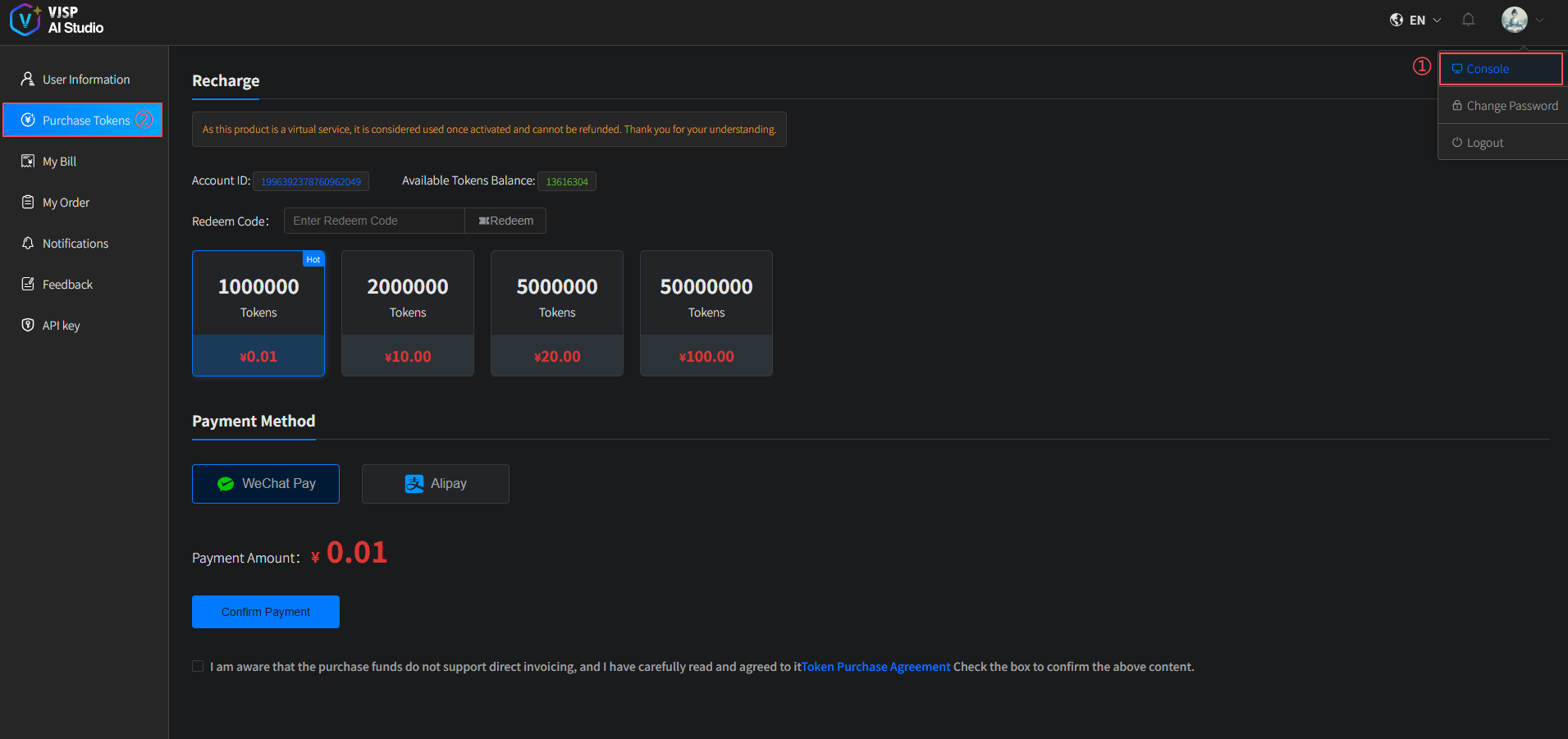
On this page, you can perform the following actions: View Token Balance, Redeem Tokens, and Purchase Tokens.
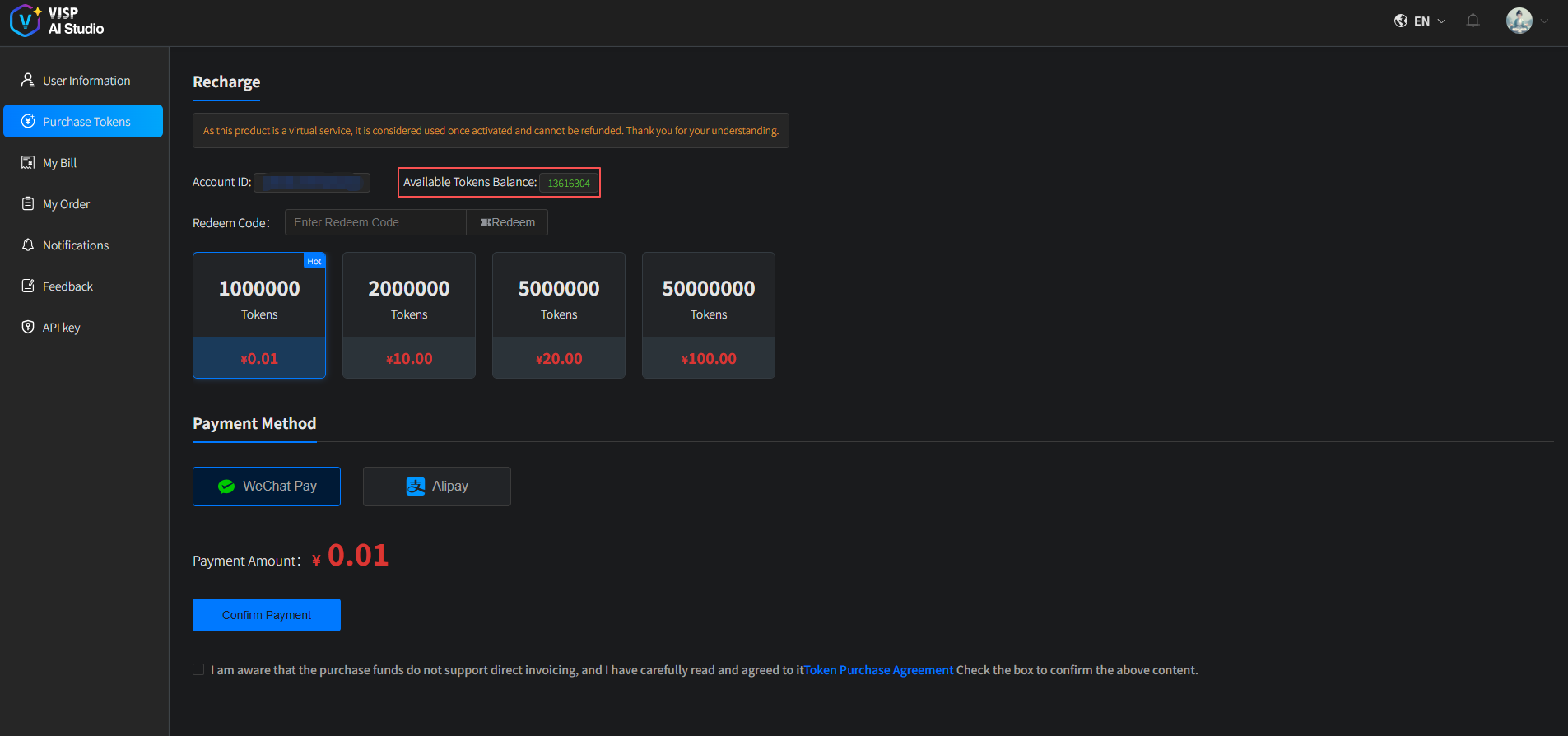
View Token Balance
Upon entering the Purchase Tokens page, you can check your current available token balance in the “Current Available Tokens” section.
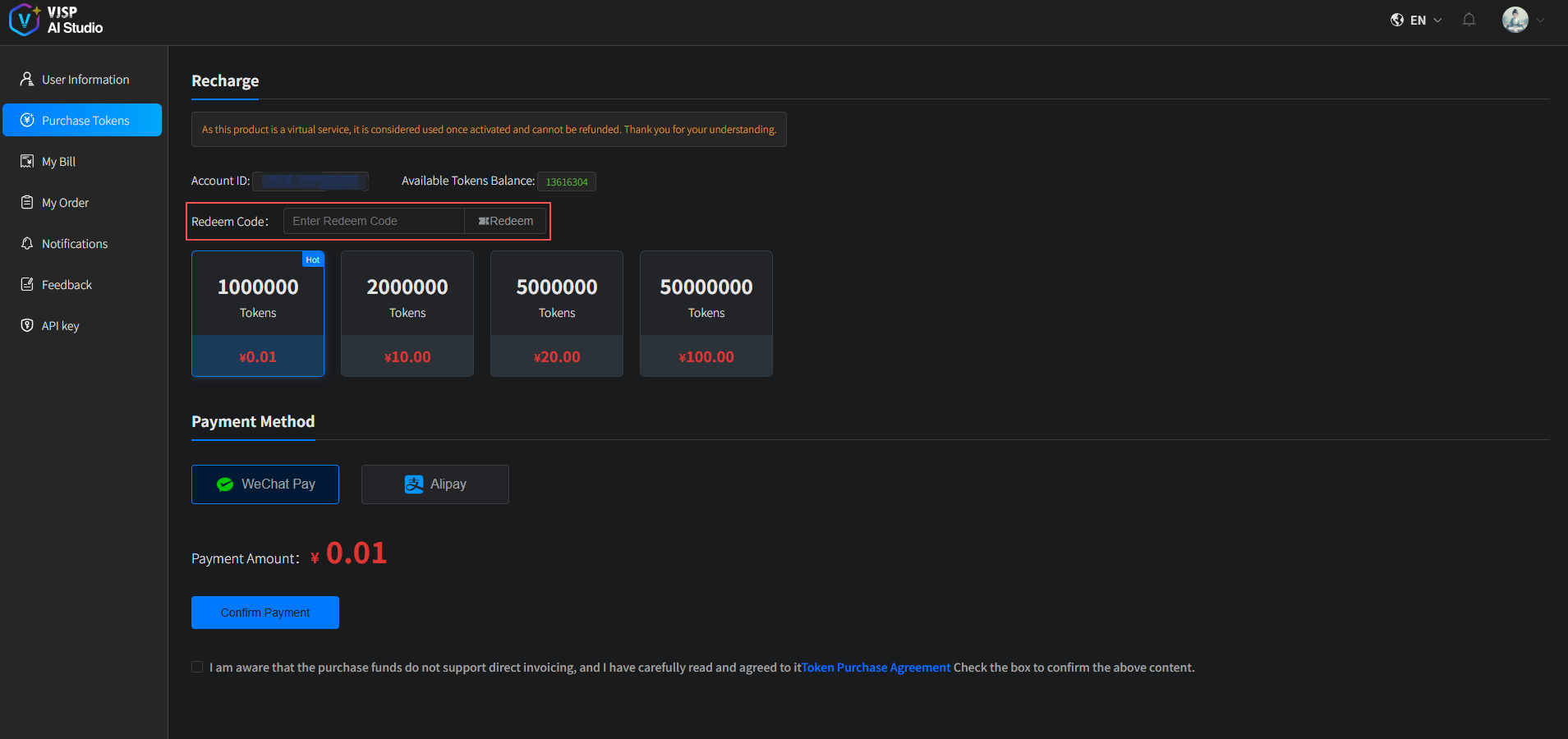
Redeem Tokens
Enter your redemption code in the redemption field and click 【Redeem】 to add tokens to your account.
Purchase Tokens
- Select the desired token package, choose a payment method, agree to the relevant terms by checking the box, and click 【Confirm Payment】.
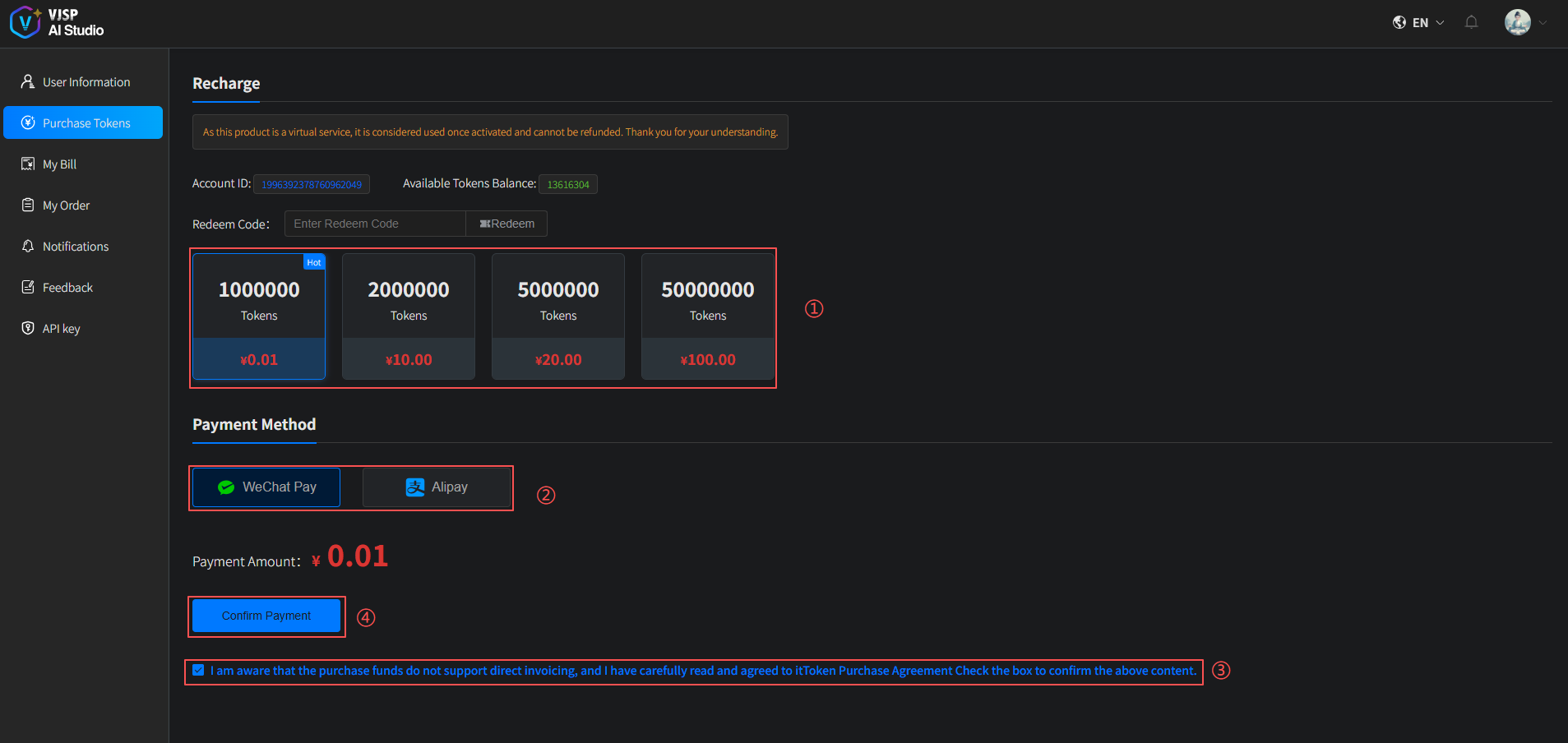
A QR code payment window will pop up—scan the code to complete the payment. Once successful, your tokens will be credited immediately.
You can view detailed purchase information on the My Orders page.
Token credits and consumption records can be reviewed on the My Billing page.