
Invite Code Usage Guide
For New Users
Method 1: Activate Account via Invitation Link
Open the received invitation link to access the platform login page.
Enter your mobile phone number and obtain the verification code to log in.
Upon successful login, your account will be activated automatically and ready for normal use.
Method 2: Activate Account with Invitation Code
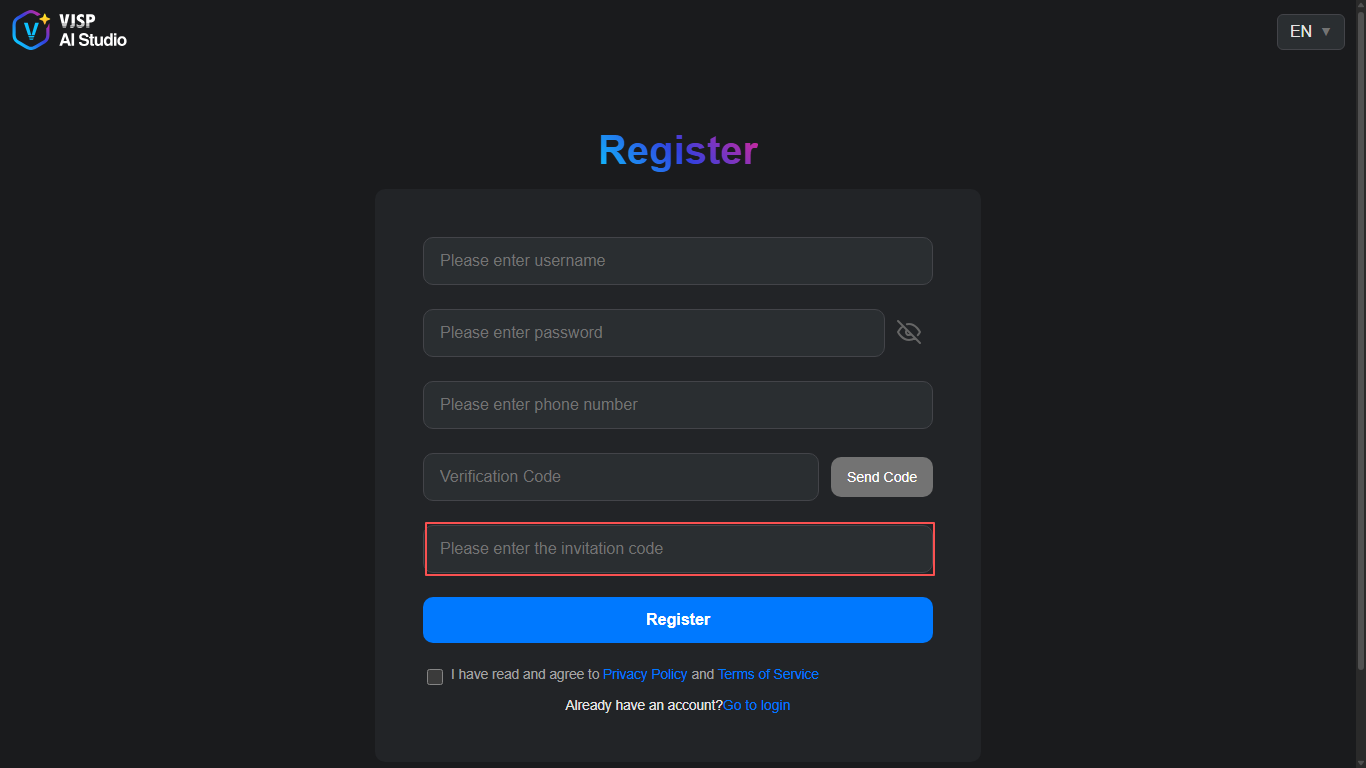
Go to the platform registration page, fill in the required information, and enter the valid invitation code.
Click the register button to complete account registration.
After logging in successfully, your account will be activated automatically, and you can use all platform functions.
For Registered Users
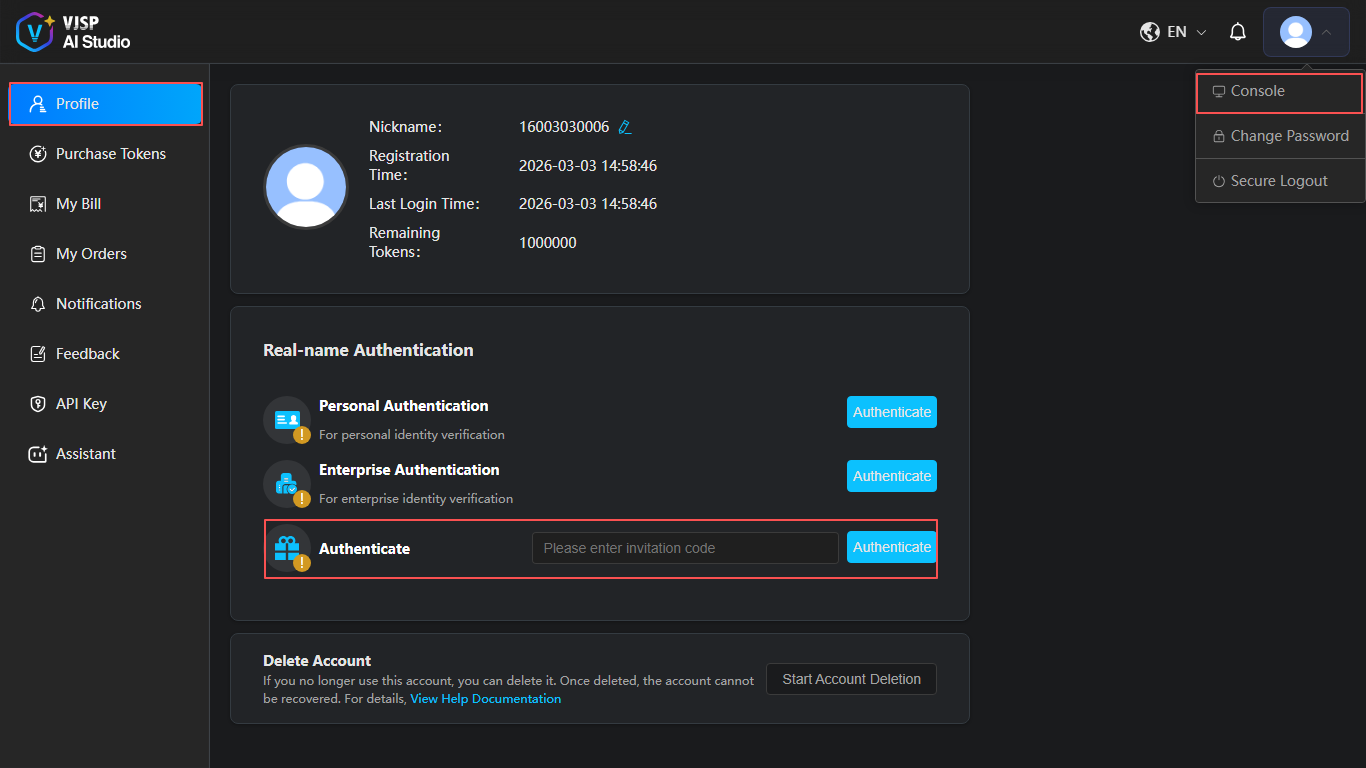
Log in to the platform and enter the console.
Open the Personal Information page.
In the real-name authentication section, find the Invitation Code Verification entry.
Enter the invitation code and click the Verify Invitation Code button.
Once verification succeeds, your account will be activated and ready to use.
How to Get an Invitation Code
Invitation codes are available via the platform’s official private message channel.