
🛠️ Personal Settings
👤 Personal Information
After logging into the platform, please follow the path below to access the personal information page:
Console → Left Navigation Bar 「Personal Information」
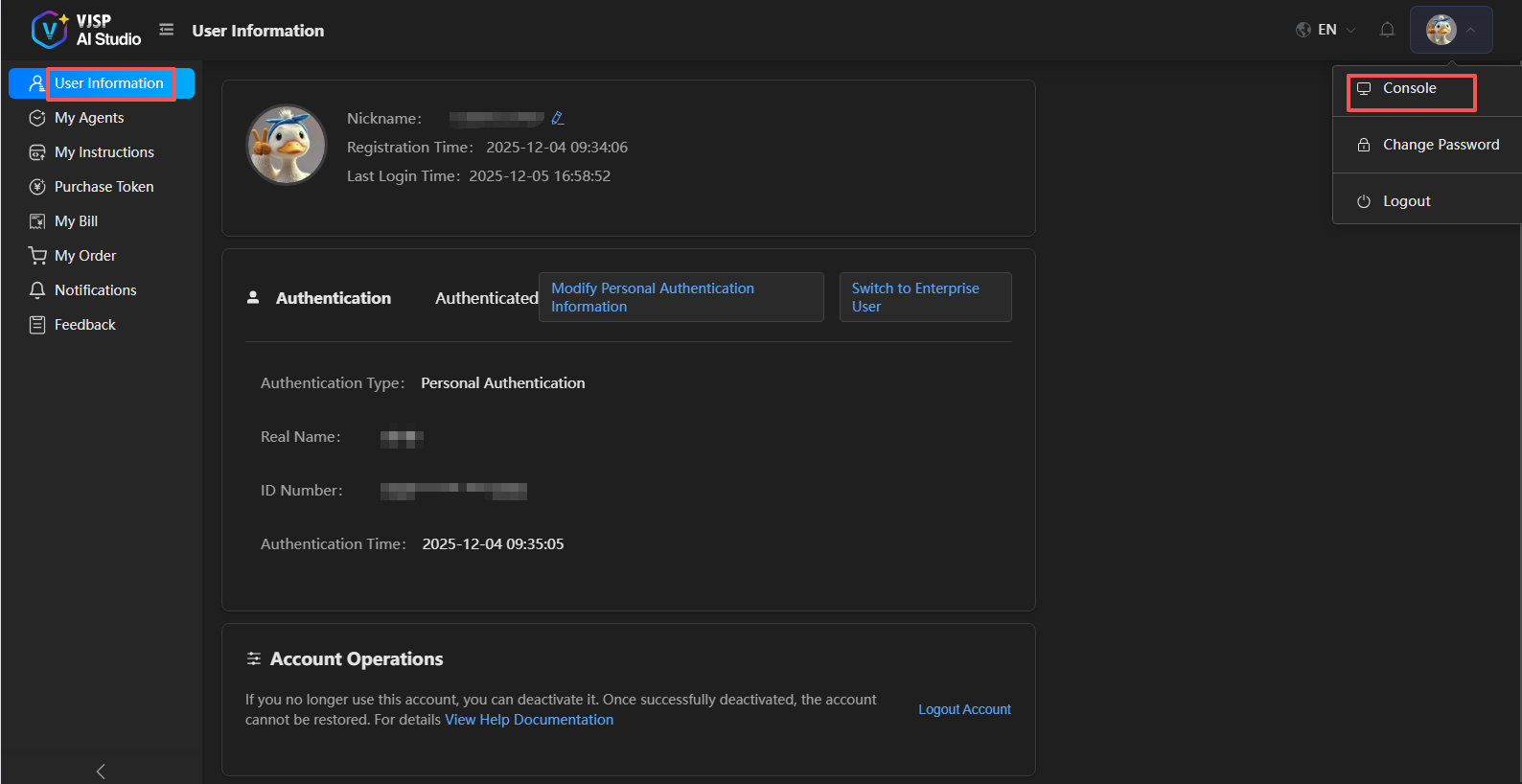
On this page, you can maintain the following information:
📝 Basic Information
In this section, you can view and edit your basic profile, including:
Username
Avatar
✅ Real-name Information (Strongly Recommended to Complete)
To ensure account security and meet platform compliance requirements, it is recommended that you complete real-name authentication:
Personal Real-name Authentication: Submit identity information through the 「Real-name Authentication」 page. After successful authentication, you can use your real name as the username on the platform.
Enterprise Real-name Authentication: If you are using platform services on behalf of an enterprise, please go to the 「Enterprise Authentication」 page to submit enterprise qualification materials. After completing authentication, you can use the enterprise username.
⚠️ Accounts that have not completed real-name authentication cannot use plugin-related services.
🗑️ Account Deletion
If you decide to no longer use this platform's services, you can choose to delete your account.
⚠️ Warning
After deleting your account, all data associated with the account (including but not limited to projects, files, settings, etc.) will be permanently deleted and cannot be recovered. Please ensure you have backed up any necessary information and no longer need any content from this account before performing this operation.
🔐 Change Password
If you need to change your login password, please follow these steps:
Log in to the official platform.
Go to the 「Change Password」 page.
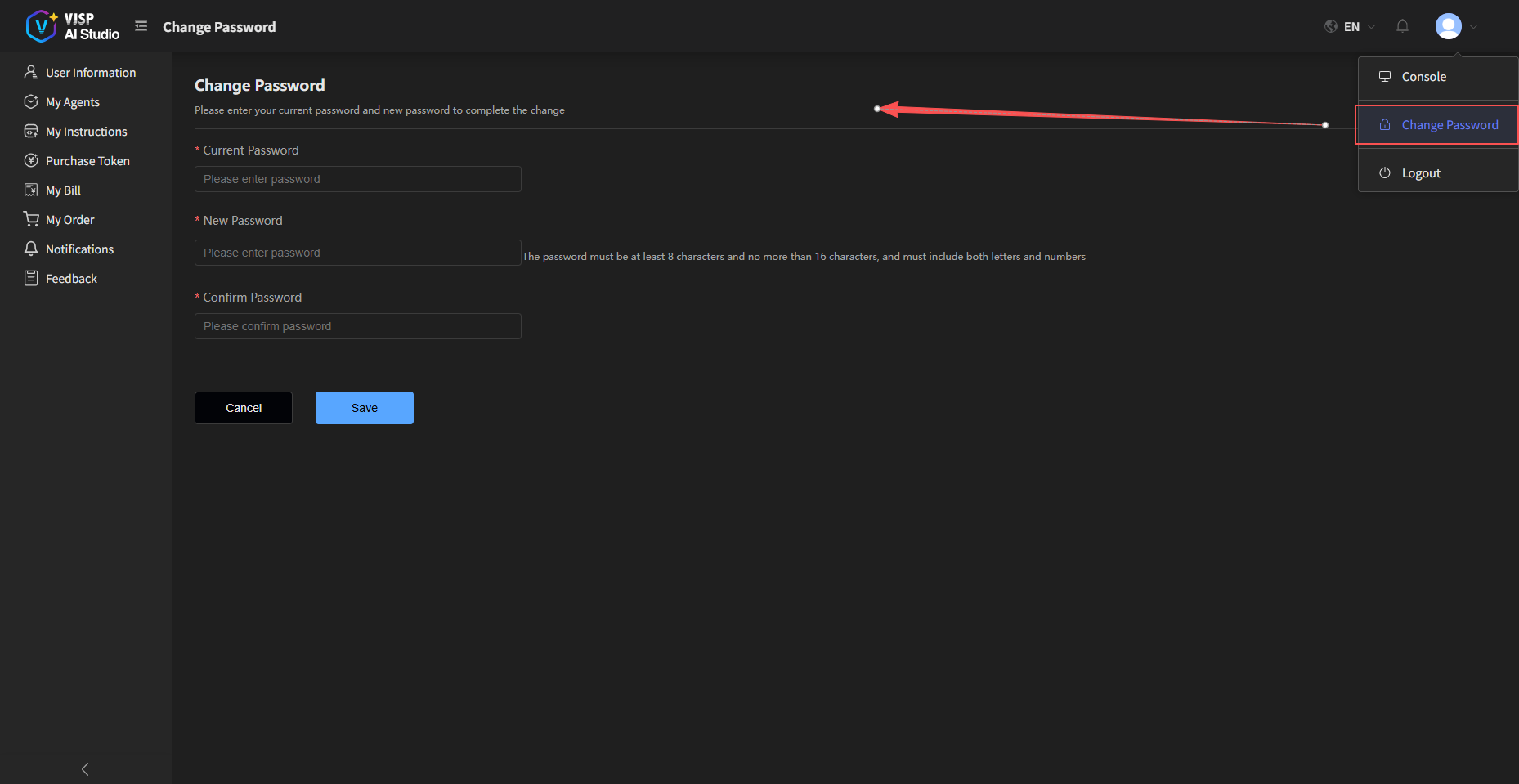
On this page, you can securely update your account password. It is recommended to change your password regularly to enhance account security 🔒.
Account Deletion
When you no longer need your platform account, you can complete the deletion process according to the following steps. Please read all precautions carefully to ensure the operation is correct.
⚠ Core Reminder: Once an account is deleted, it cannot be recovered, and related data will be processed according to platform rules. Please be sure to back up all important business data before deletion to avoid information loss.
Precautions Before Deletion
After submitting the account deletion request, it will enter the deletion review stage. The review result will be sent via SMS within 15 working days;
After successful deletion, all permissions and data related to the original account will be cleared and cannot be retrieved;
If there are unused Tokens in the account, they will automatically become invalid after deletion and cannot be refunded. Please make decisions carefully;
After account deletion, you can use the original mobile number to register a new account, but the new account will not be associated with the original account.
⚠ Important Notice
Please ensure the following operations are completed for the account before initiating deletion:
Back up all business data and file materials that need to be retained;
Settle all pending matters related to the account.
Deletion Operation
Visit the website and log in with your account password;
After logging in, go to the 【Console】 page, click on 「Personal Information」 in the left navigation bar to enter the personal information management page;
Scroll down to the 「Account Operations」 area at the bottom of the page and click the 【Start Deletion】 button;
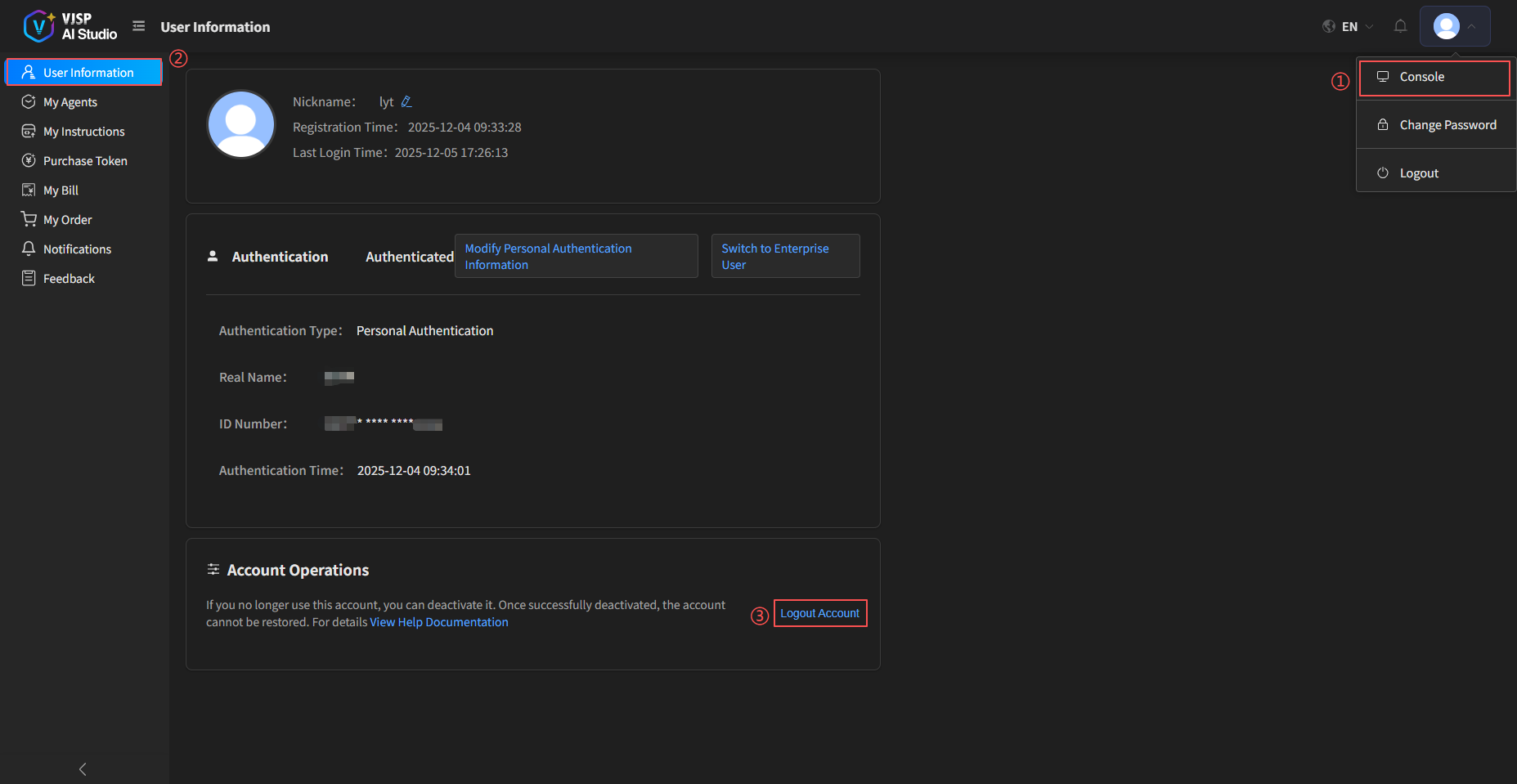
The system will redirect to the 「Confirm Notices and Agreements」 page, where you can provide feedback and comments:
Carefully read the 《Account Deletion Agreement》 and related notices;
Check the box for 「I have understood the 《Account Deletion Agreement》 and agree to the relevant terms」;
Click 【Submit】;
A verification page will pop up. Click 【Send Verification Code】, obtain the SMS verification code and enter it correctly, then click 【Confirm】;
After the application is submitted, return to the personal information page. The account operation will display "Deletion in Progress";
The deletion result will be notified to you via SMS. Please pay attention to SMS notifications on your registered mobile number.