Create Object
Create tables, views, stored procedures, functions, triggers, and events in the database.
Creating Tables
To create a table, click the [Open Database Designer] icon to enter the database designer page. Right-click [TABLE] → [New], and then enter the table creation page as shown in the figure below: 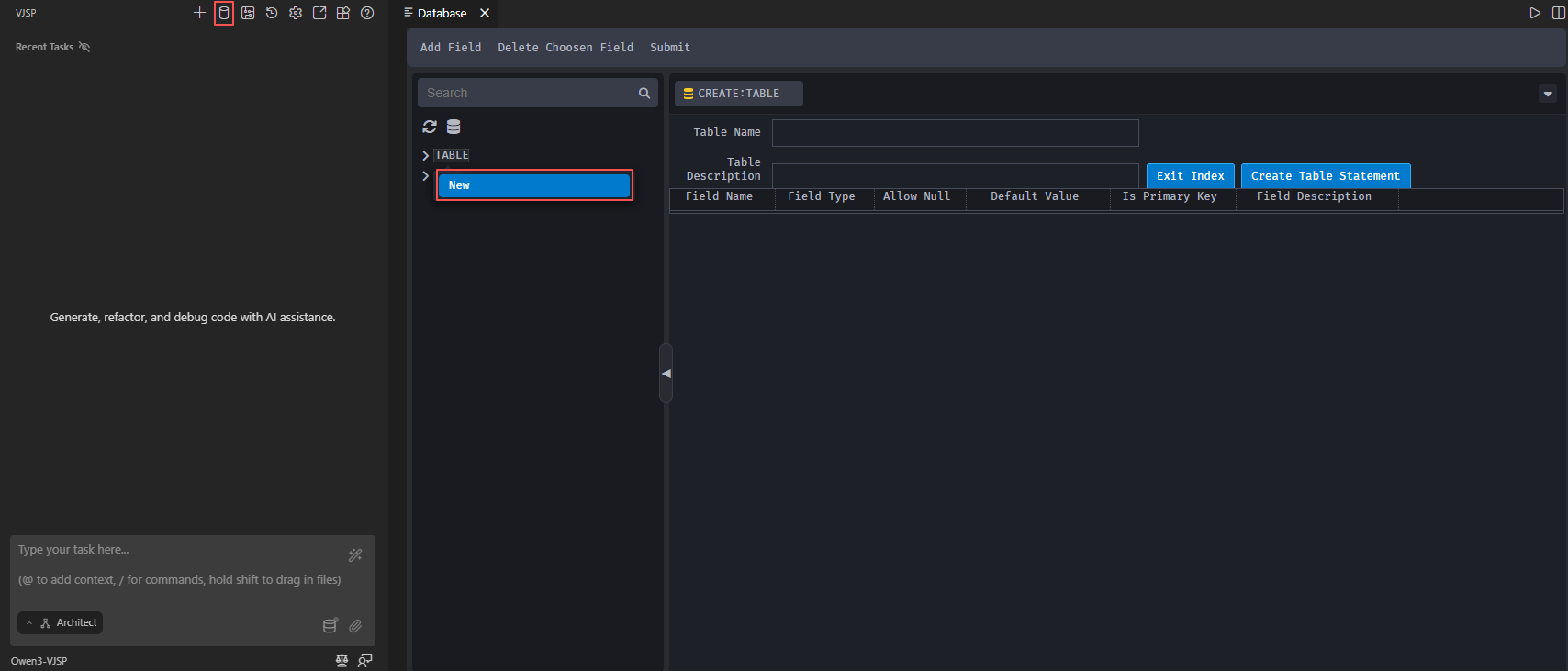
On the table creation page, enter the table name and description. Click [Add Field] to add table fields, and enter the field name, default value, and field description. Choose the field type, whether it allows null values, and whether it's a primary key. After completing the settings, click [Submit], as illustrated in the figure below: 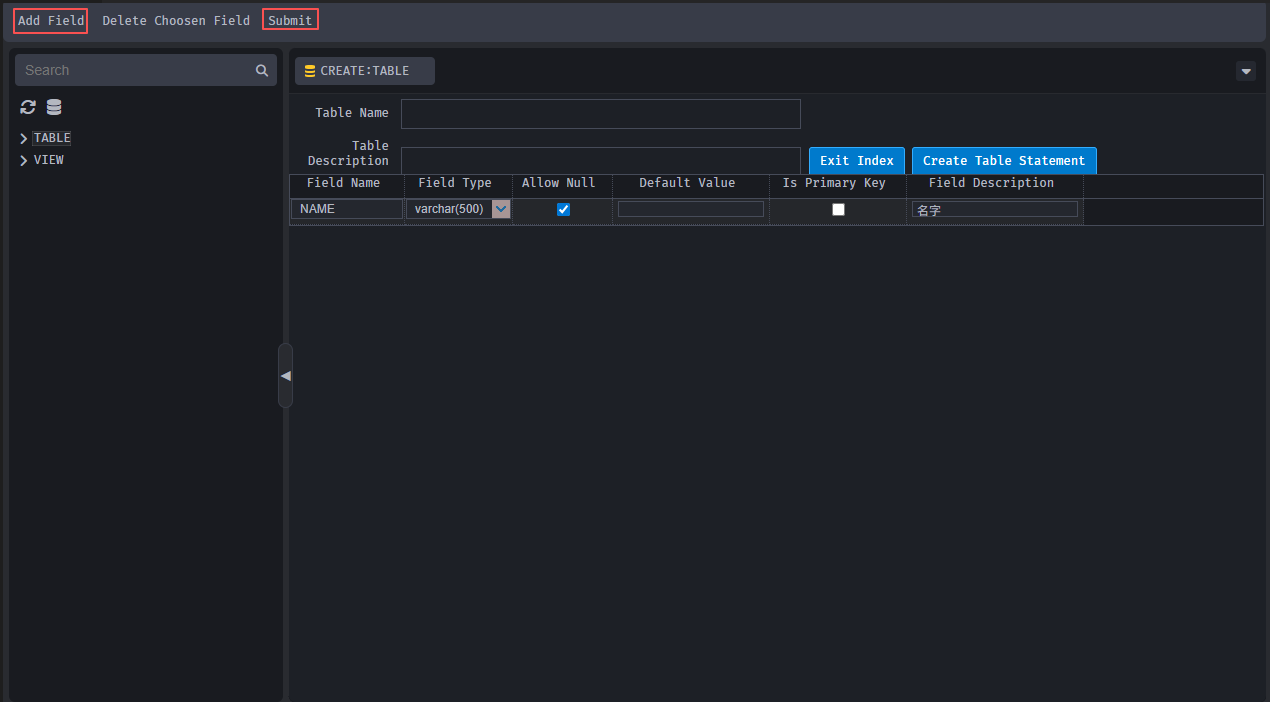
Creating Other Objects
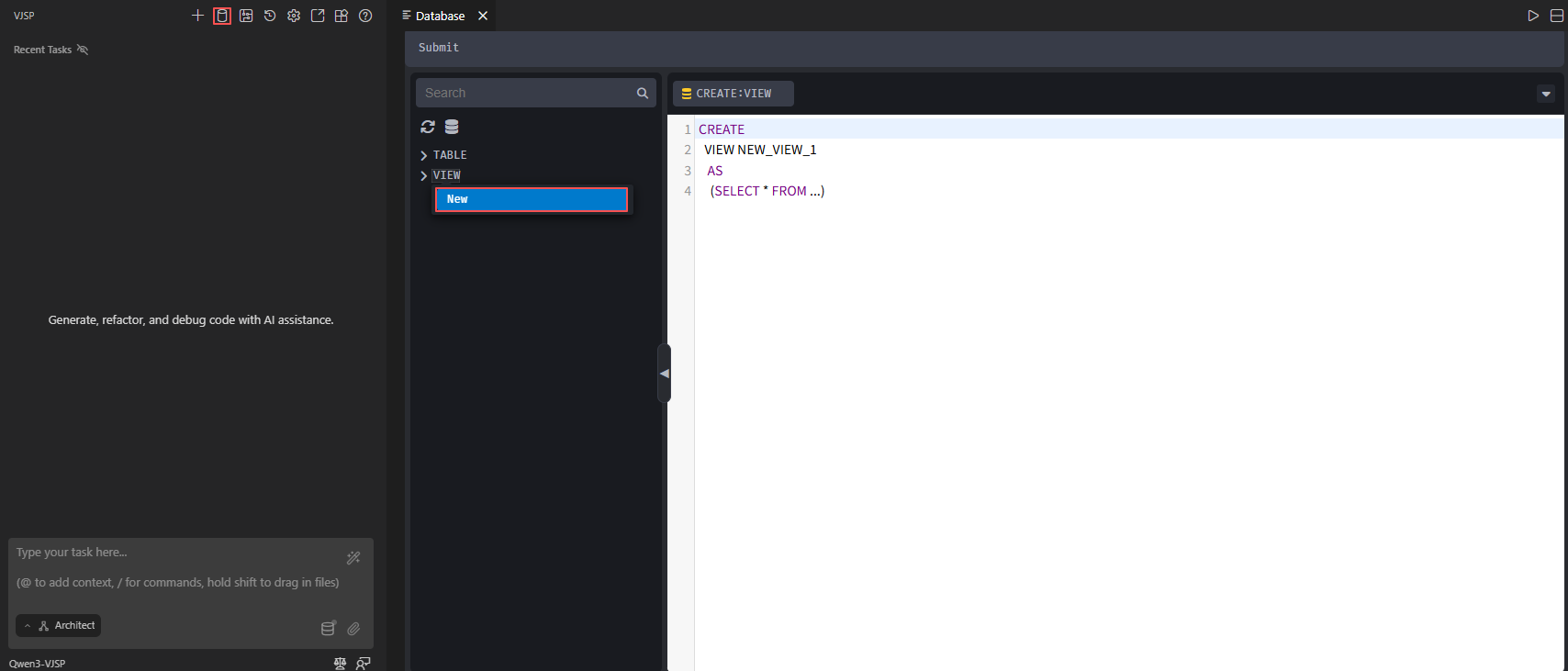
Creating other objects, such as views, works as follows: Click the [Open Database Designer] icon to enter the database designer page. Right-click [VIEW] → [New], and the page will pop up, where you can set up the view according to the default code, as shown in the figure below: