
Create Workflow
Method 1: Click 【Open Workflow Designer】→ New Workflow button, a New Workflow page will pop up, set the workflow, click 【Save】, a pop-up window will appear to enter the name, processing time, and remarks, choose the category type, as shown in the figure below: 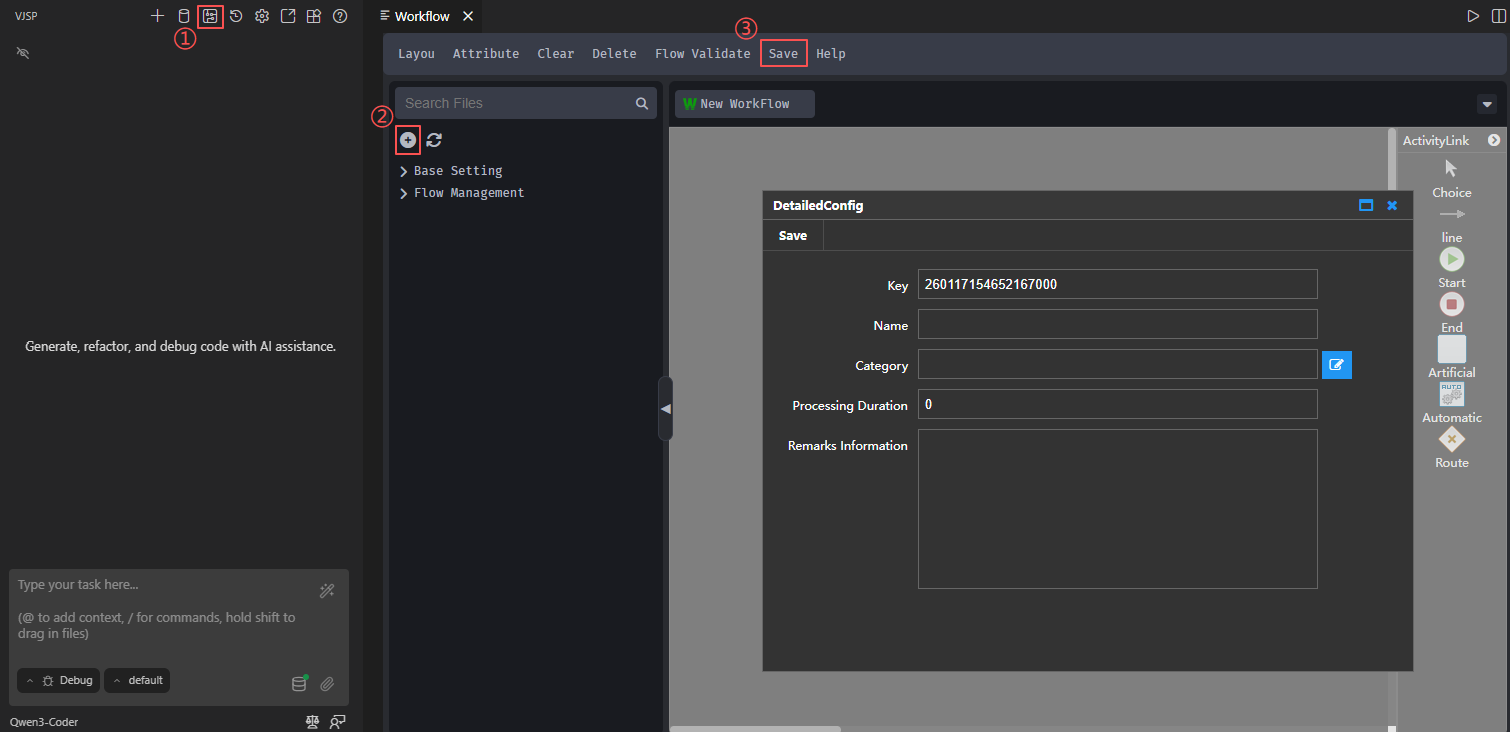
Method 2: Click 【Open Workflow Designer】, select a category, right-click and choose 【New Workflow】, as shown in the figure below: 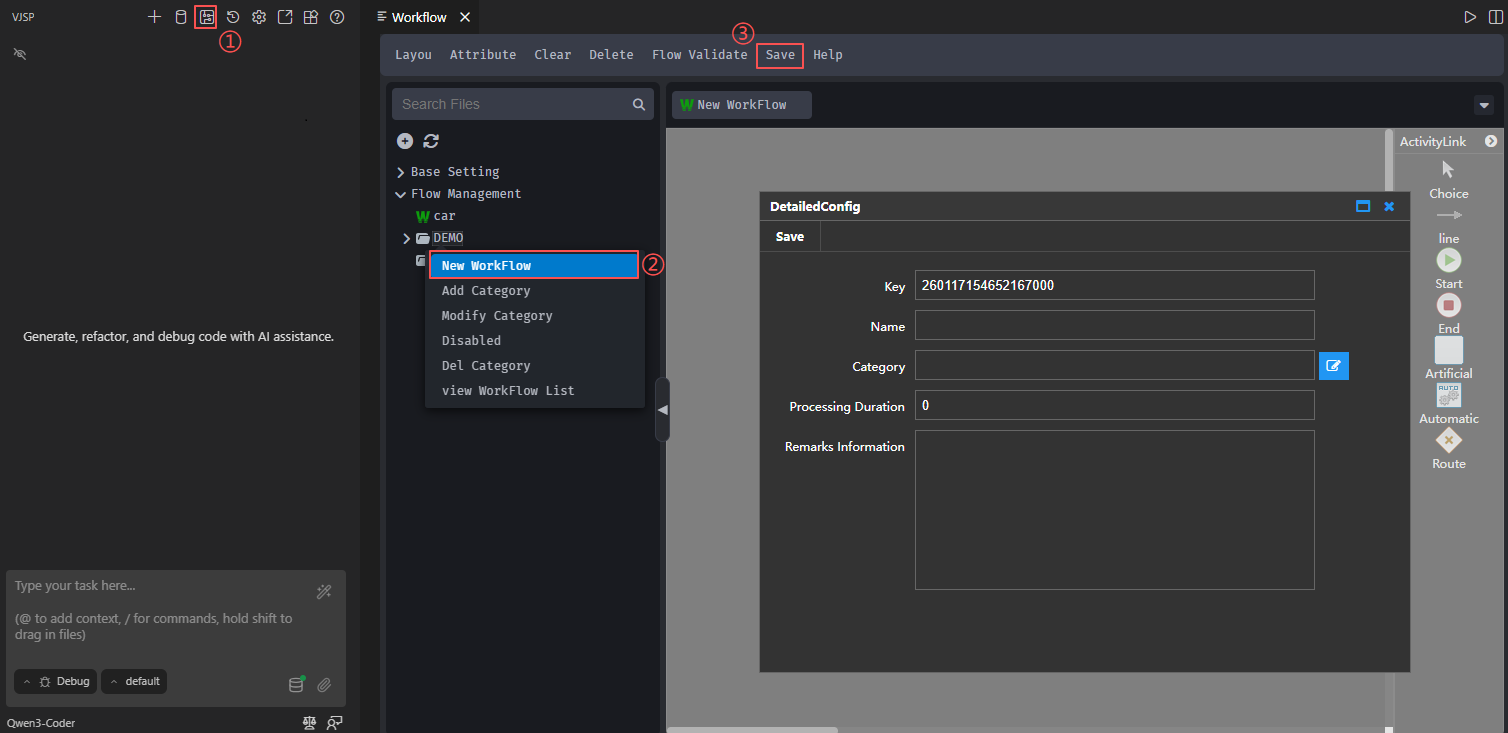
- Name: The name of the workflow
- Processing Time: Set the review time of the workflow
- Category Type: Choose the form category type that the workflow belongs to
- Remarks: Fill in additional notes or explanations