Skip to content
Search
⌘
Ctrl
K
Main Navigation
IDE Plugin
CLI
AI Studio
VUE Framework
VJSP Framework
English
简体中文
日本語
English
简体中文
日本語
Menu
Return to top
Page Navigation
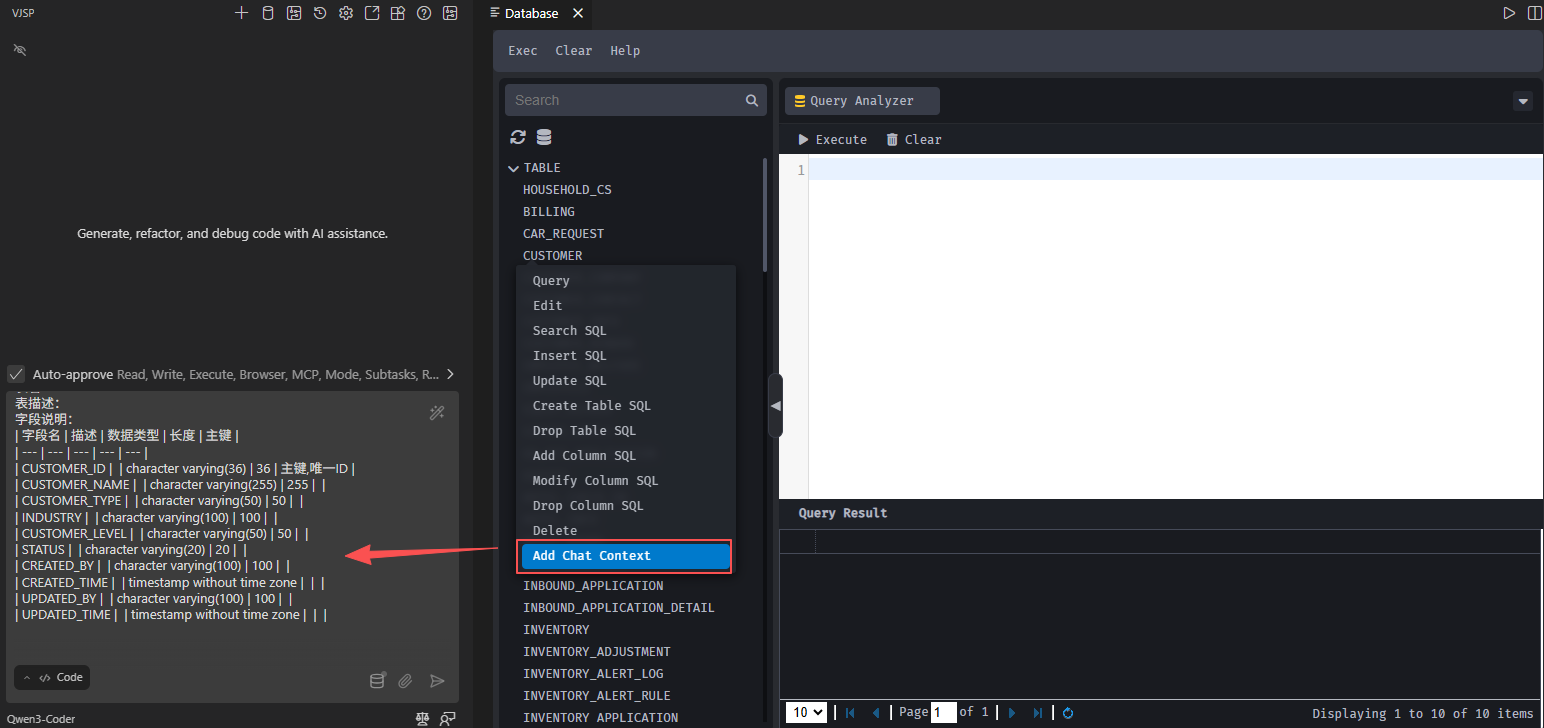
Add Chat Context
Open the database designer.
Right-click the desired database table to bring up the context menu.
In the context menu, click the "Add to Context" option.
The database table schema is added to the input box.