
Complete the first task
This document demonstrates how VJSP handles a simple request from start to finish.
After completing the IDEA installation or VS Code installation, follow the steps below:
Step 1: Open the VJSP Panel
Click the VJSP icon in the VS Code primary sidebar (the vertical bar on the side of the window) to open the chat interface. If you don’t see the icon, ensure the extension is installed and enabled.
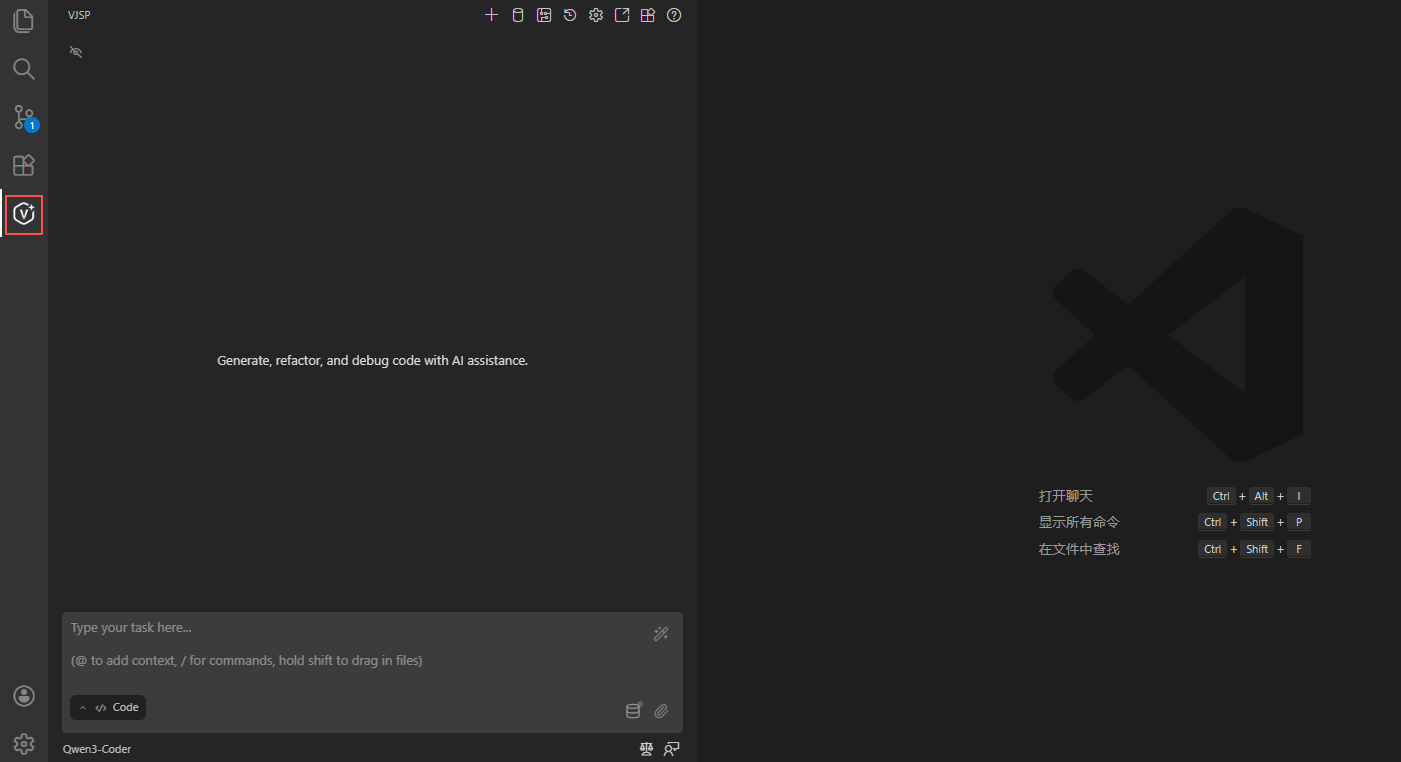
Step 2: Enter Your Task
In the chat box at the bottom of the panel, clearly and concisely describe what you’d like VJSP to do. Examples of effective tasks include:
"Create a file named
hello.txtwith the content 'Hello, world!'""Write a Java function that adds two numbers"
"Create a simple HTML file for a website with the title 'VJSP Test'"
Use natural language—no special syntax is required.
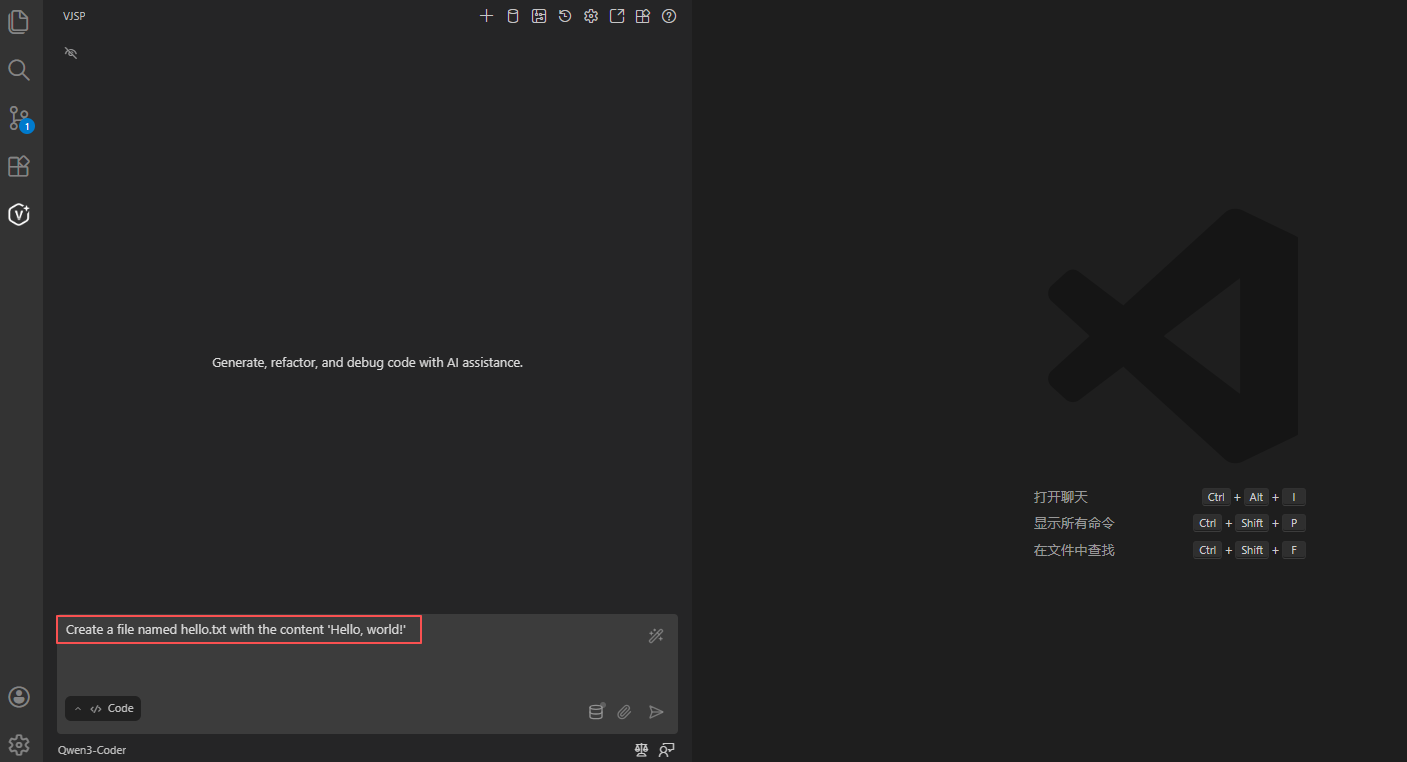
Step 3: Send the Task
Press Enter or click the “Send” icon to the right of the input box.
Step 4: Review and Approve Actions
After analyzing your request, VJSP will propose specific actions, which may include:
Reading files: showing the contents of files it needs to access
Writing files: displaying line-by-line diffs (green for additions, red for deletions)
Executing commands: showing the exact terminal command that will be run
Asking for clarification: requesting more information when needed to proceed
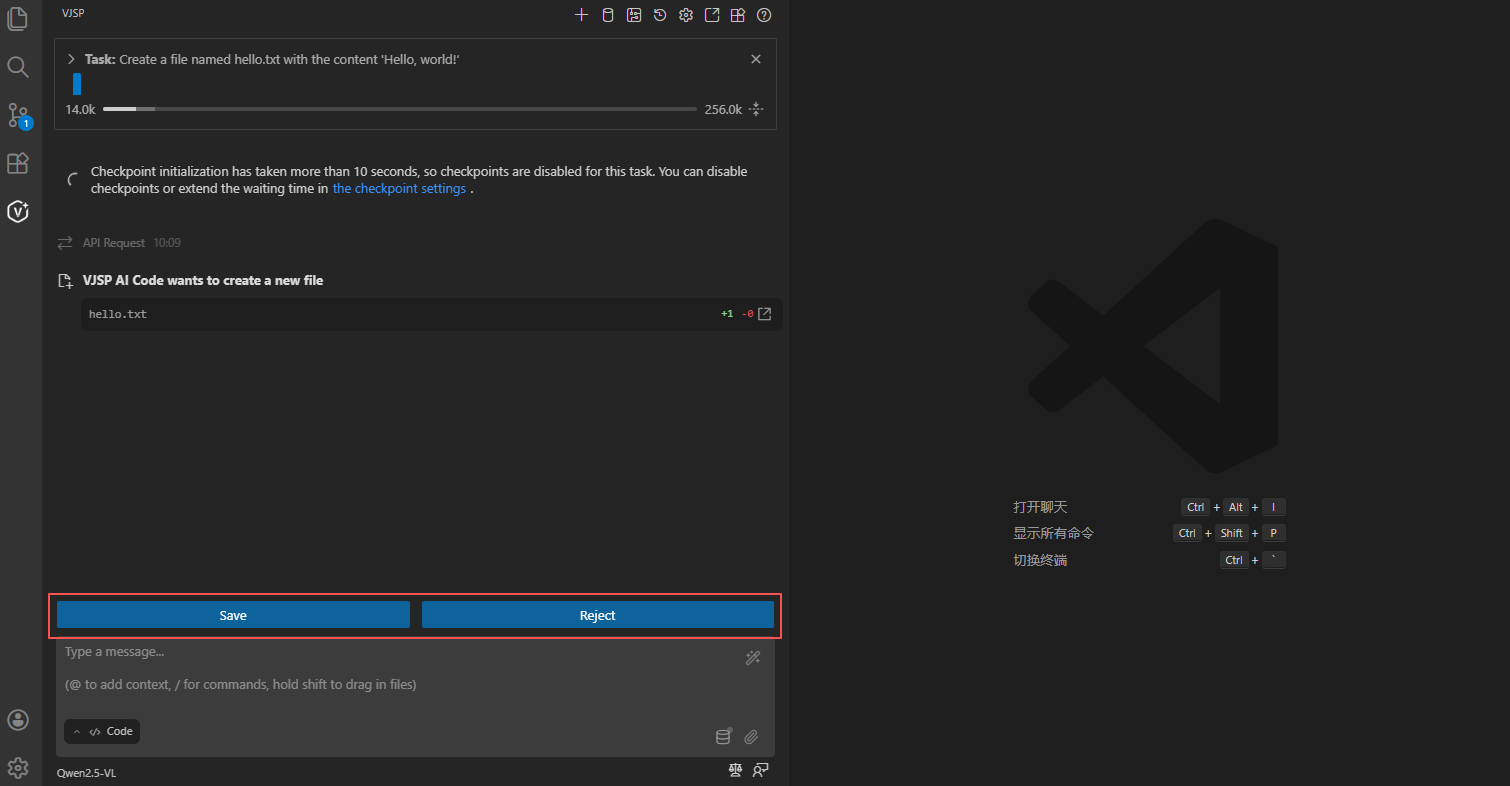
VJSP explicitly shows the actions it intends to perform and waits for your approval.
- In Code mode, many code-authoring capabilities are enabled by default.
- In Architect and Ask modes, the agent will not write any code.
💡 Tip
The level of autonomy is configurable—you can make the agent more autonomous or more restricted.
Learn more about using modes and auto-approving actions.
Step 5: Iterate Through Actions
VJSP works iteratively. After each action, it waits for your feedback before proposing the next step. This “review-and-approve” cycle continues until the task is complete.
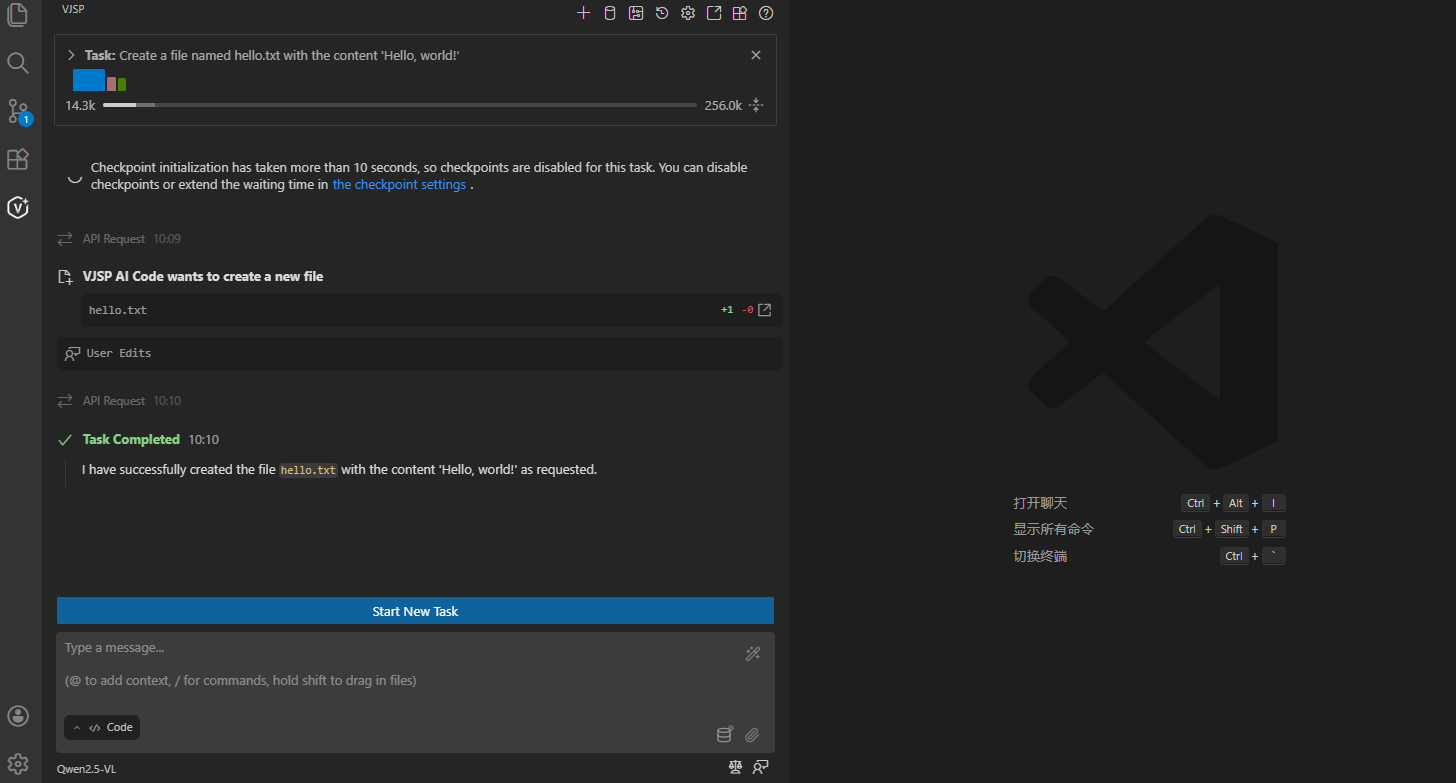
Once the task is finished, VJSP displays the final result and awaits your next instruction.
Summary
You’ve completed your first VJSP task! Through this process, you’ve learned:
- How to interact with VJSP using natural language
- The approval-based workflow that keeps you in control
- VJSP’s iterative approach to problem-solving
This iterative, approval-driven workflow is at the core of VJSP—letting AI handle the tedious parts of coding while you maintain full oversight. Now that you’ve mastered the basics, feel free to try more complex tasks, explore different modes for specialized workflows, or test the auto-approval feature to accelerate repetitive tasks.